
Sign up today and you watch Vibewatch read your community instead of waiting at an empty dashboard, and your sentiment score arrives with a week of trend already under it.
New
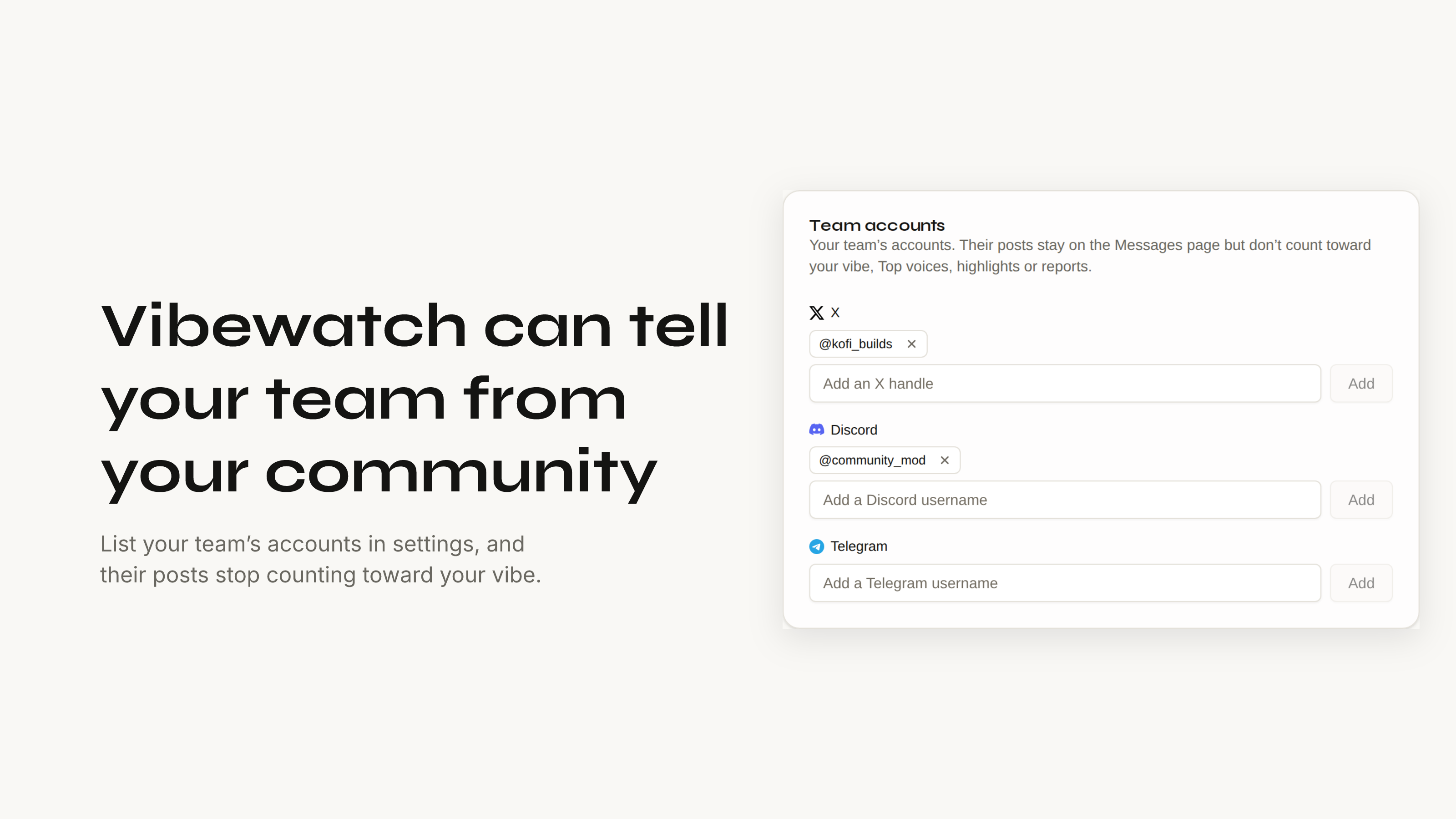
- Tell Vibewatch which accounts are your own team. Settings has a new Team accounts list, under Brand Intelligence, for every organization. Their posts stay on the Messages page and stop counting toward your vibe, Top voices, highlights and reports, so your own announcements and replies no longer move the score. Vibewatch suggests likely teammates from the authors it has already seen, and an addition waits five seconds with an Undo before it saves.
- The first visit shows the work. The first hour of a new account was the week's other push. Previously a brand new organization landed on a dashboard with nothing on it while the first sync ran, and there was no way to tell the difference between reading and broken. The dashboard now opens on a reading card: what has been collected from each source you connected, and how many of those messages have been scored so far. Once there is a community to show, it reveals it, once. Getting started also keeps Connect beside the platform it belongs to, and connecting Discord now returns you to the dashboard rather than leaving you on the setup page.
- Your agent can see what Vibewatch is watching. Over MCP,
get_organizationnow lists every connected source with its state, and for X the accounts and the search terms it follows. An agent can tell an empty source from one that is paused, failing, or still backfilling. Asked for by a tester wiring an agent to it.
Improved
- The dashboard asks for less when it loads. Repeated calls are gone and the browser's preflight checks are cached for longer, so the first load of the day stops paying for about twenty extra round trips before any data arrives.
- Settings is regrouped around that. Four groups now: Account, Data, Workflows and Workspace, with a new Market section under Data for the benchmark and the prices you track. Saved section links still open the same place.
- Another layer on database backups. They have always been stored encrypted, and each nightly dump is now age-encrypted at the source as well, with the key kept off our servers. This follows the security write-up from last week: as much as we can, with as few permissions as possible.
Fixed
- Vibewatch never stores a DM sent to your Telegram bot. If a member messages your bot directly, that conversation is not offered for collection and is not kept.
- A new organization's sentiment card draws its trend. The Community Sentiment card used to show a score with no line under it for the first week, because the backdated days it was drawing from had no composite to draw. Those are rebuilt now, so the 7-day trend is there from the first visit.
- Plus: teammates invited to a quiet organization later get past the reading card once anyone there has seen the reveal.