
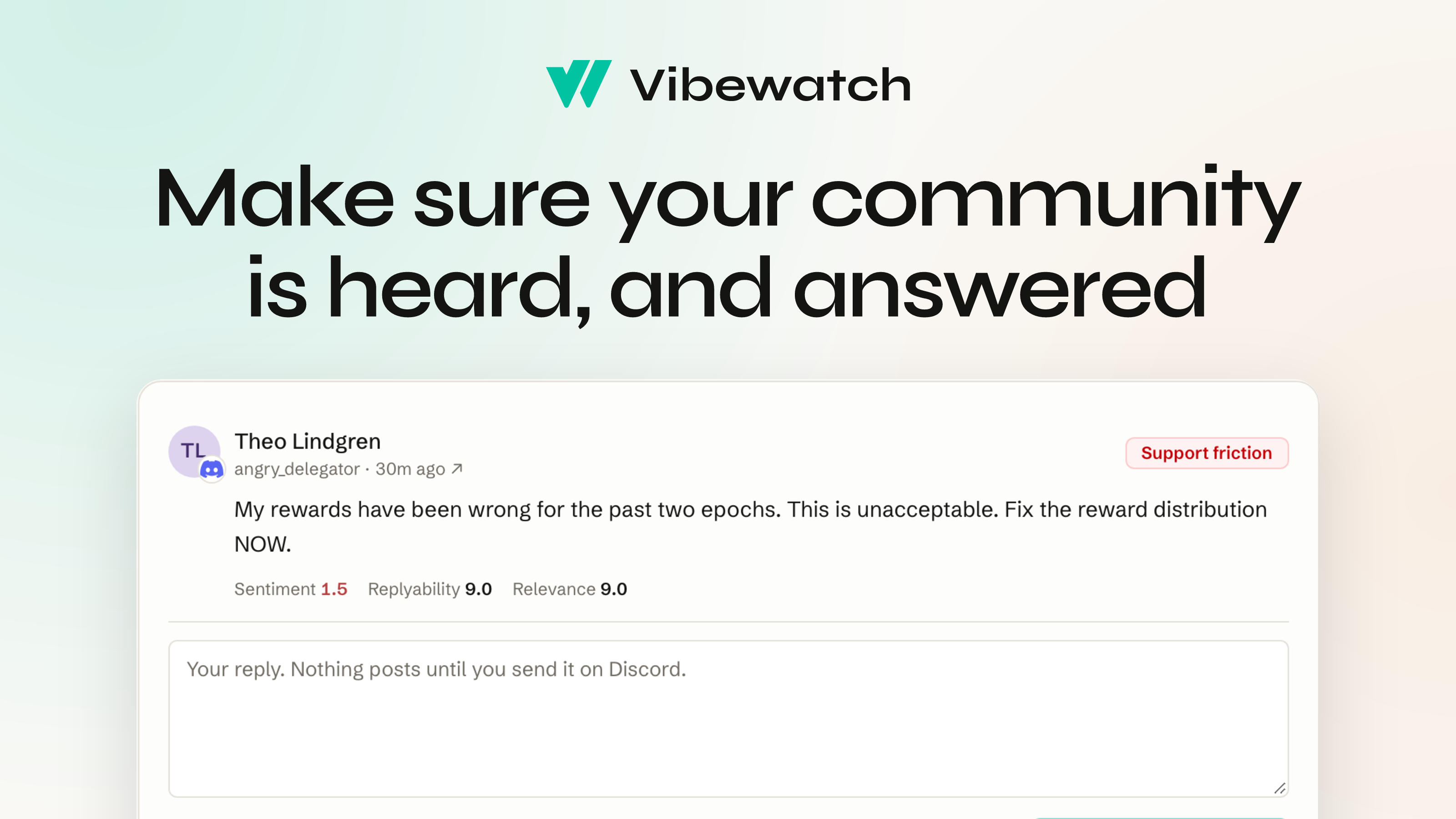
Today we're shipping our biggest release since we launched Vibewatch in May.
Vibewatch has always made sure web3 teams hear their community. Starting today, it makes sure their community feels heard, and answered.
At the center is Engage: one place to see everyone in your community who needs a reply, across Discord, Telegram, X, Reddit and everywhere else you've connected, with the most urgent first. Your team writes each reply and sends it from their own accounts, and Vibewatch knows when someone has been answered. Alongside Engage come incident alerts, which tell your team when a problem starts spreading through the community, and a daily brief of the last 24 hours, delivered where your team already works.
All of it is live today for every Vibewatch team, on every plan, starting at $19/mo.
"No matter how good a community team is, messages across Discord, Telegram, X, and Reddit still get lost. We see it in the data, even for large enterprise orgs. Vibewatch has always been great at listening to communities, and Engage now makes sure those same communities feel heard."
— Brandon Marshall, founder of Vibewatch
Answered is how your community knows it was heard
Until now, Vibewatch has been about hearing: every message read from inside your Discord servers and Telegram groups, alongside X and the public web, scored for sentiment and written up in a weekly report the whole team reads internally.
Hearing is half of it. A member whose withdrawal never arrived doesn't know anyone read their message. They find out when someone replies. And across four or five platforms, the messages that most need a reply are often the easiest to lose: the support question buried under a hundred gm's, the post that lands in a Telegram group overnight, the question tucked into a reply under last week's announcement.
Everything in this release is built so those people get their reply.
Engage: who needs a reply, most urgent first
Engage shows your team who's still waiting on a reply, across every platform, in one place.
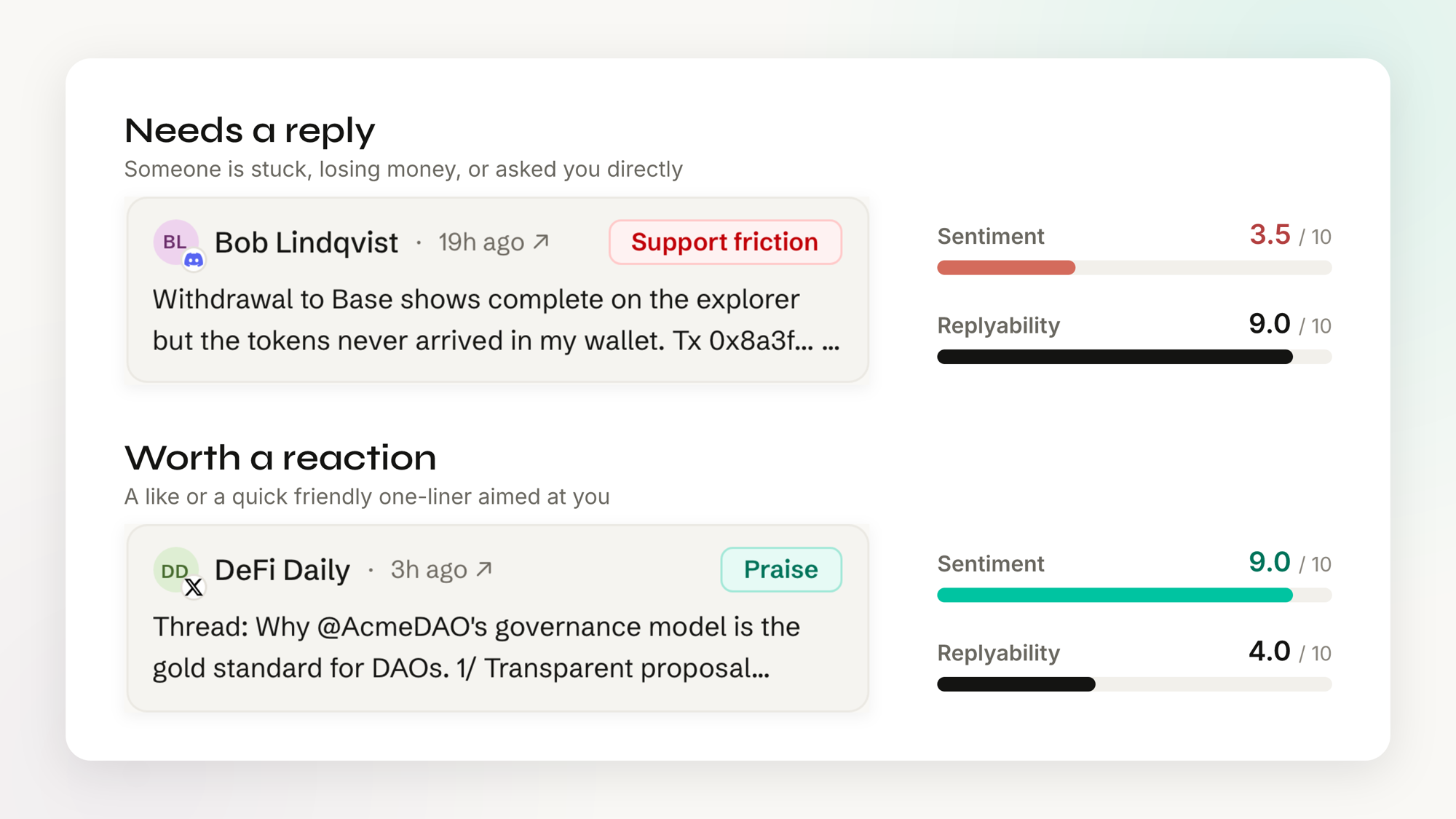
For every message, Vibewatch asks how much a reply from your team would help the person who wrote it. That's its replyability score, and anyone who scores high enough lands in one of three groups:
- Needs a reply. Someone is stuck, losing money, or asked you directly.
- Worth a reply. Engages with your post, says something real about you, or asks a lower-stakes question.
- Worth a reaction. A like or a quick friendly one-liner aimed at you, shown when you switch to Relaxed in Settings.
Sentiment tells you how a message feels. Replyability tells you whether someone is waiting on you, and the two can point in opposite directions. In our demo, a Discord member whose withdrawal never arrived scores 3.5 for sentiment and 9 for replyability, while a thread on X praising Acme DAO's governance scores 9 for sentiment and 4 for replyability.
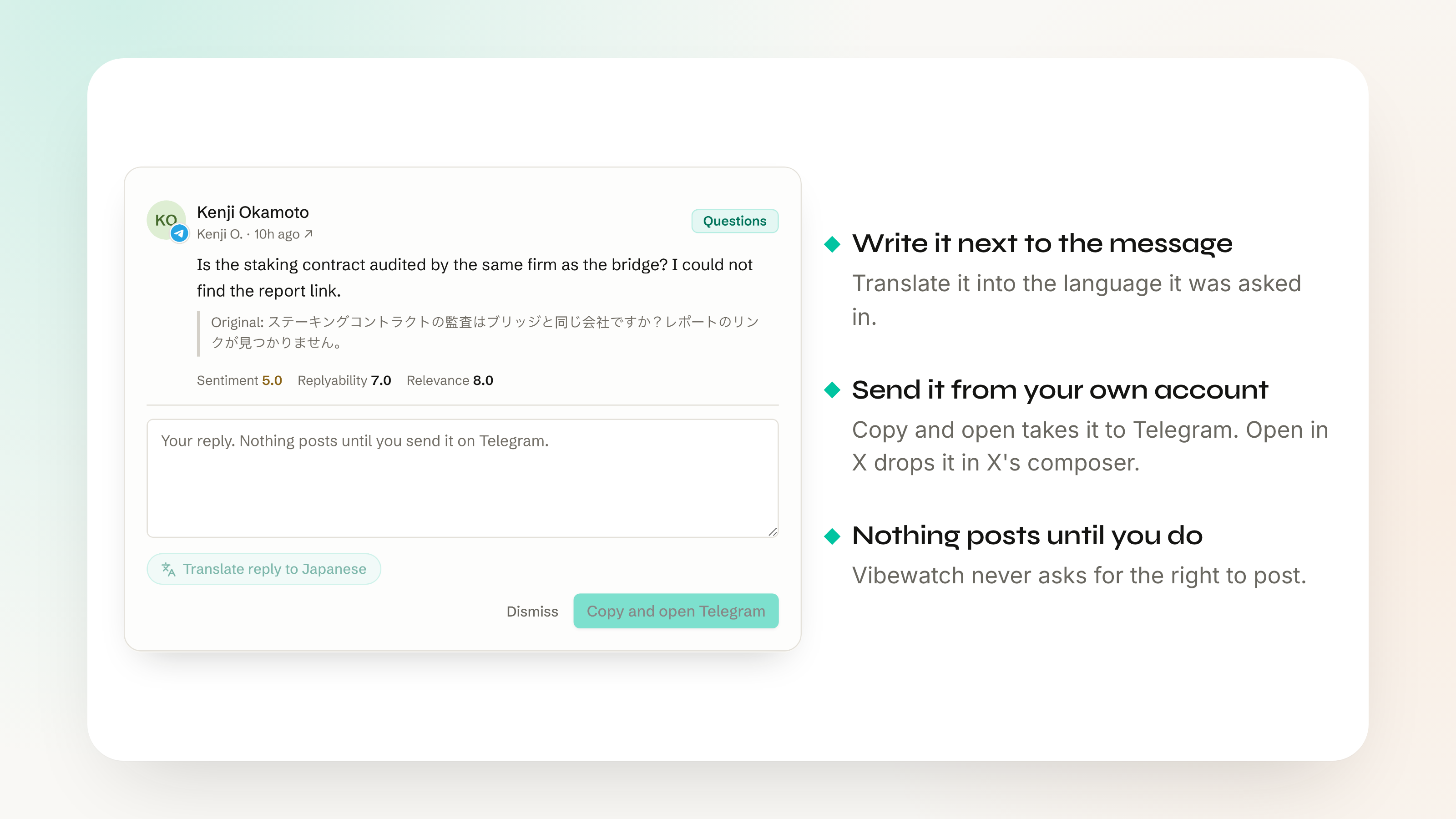
You reply inline right next to the message, can translate it back into the language the message was written in, and Vibewatch hands it off. Open in X drops it natively in X's composer, while Copy and open copies your message and deep links you directly into Discord, Telegram or Reddit. Sends happen natively, meaning no additional trust needs to be placed on Vibewatch.
"Our community lives on Discord, Telegram and X, and keeping up with all of it used to mean things got missed. Vibewatch finds the messages that genuinely matter, which has allowed our team to respond and action them fast. It's become part of how we show up for our community every day."
— Kate Parkman, Content & Comms Lead, Stacks Labs
Know when it's been answered
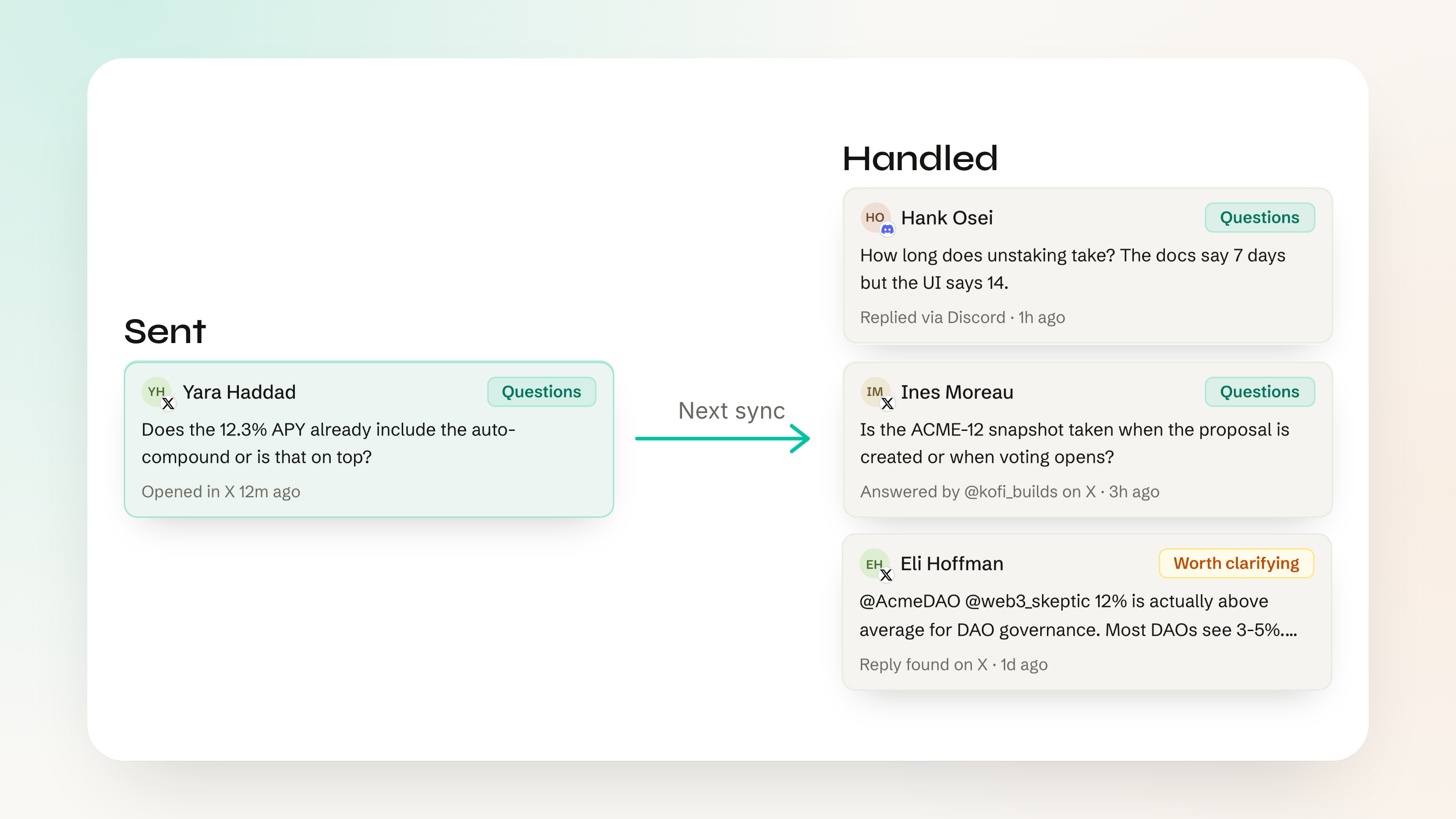
When someone on your team answers on X, Discord, Telegram or Reddit, Vibewatch sees it and marks their post answered.
The next time Vibewatch syncs, it picks up the reply from your brand account or a listed teammate, then marks it as handled. It doesn't matter whether the reply started in Engage or someone answered it directly on Discord or X.
When you first set up Vibewatch, your X Verified Organization's affiliates are automatically added. You can add your moderators, admins and other team members in Settings.
The goal is inbox zero, and we'll help you get there. When there's no one left in Engage to get to, you'll see stats: How many messages your team answered, how many you missed, and how quickly you responded. Those same numbers go into the weekly report so the rest of the company sees the community being answered as well as heard.
Incident alerts: know when something breaks
When a problem starts spreading through your community, Vibewatch raises an incident and tells your team, with the messages behind it.
It watches for an uptick in negative posts from multiple people, based on what your community usually sees. When these negative posts point to a real problem, such as an outage or a hack, Vibewatch opens an incident.
A banner goes up on the dashboard, impacted users move up to the top of Engage, and alerts go out over Slack and email, including any additional addresses you've added in Settings.
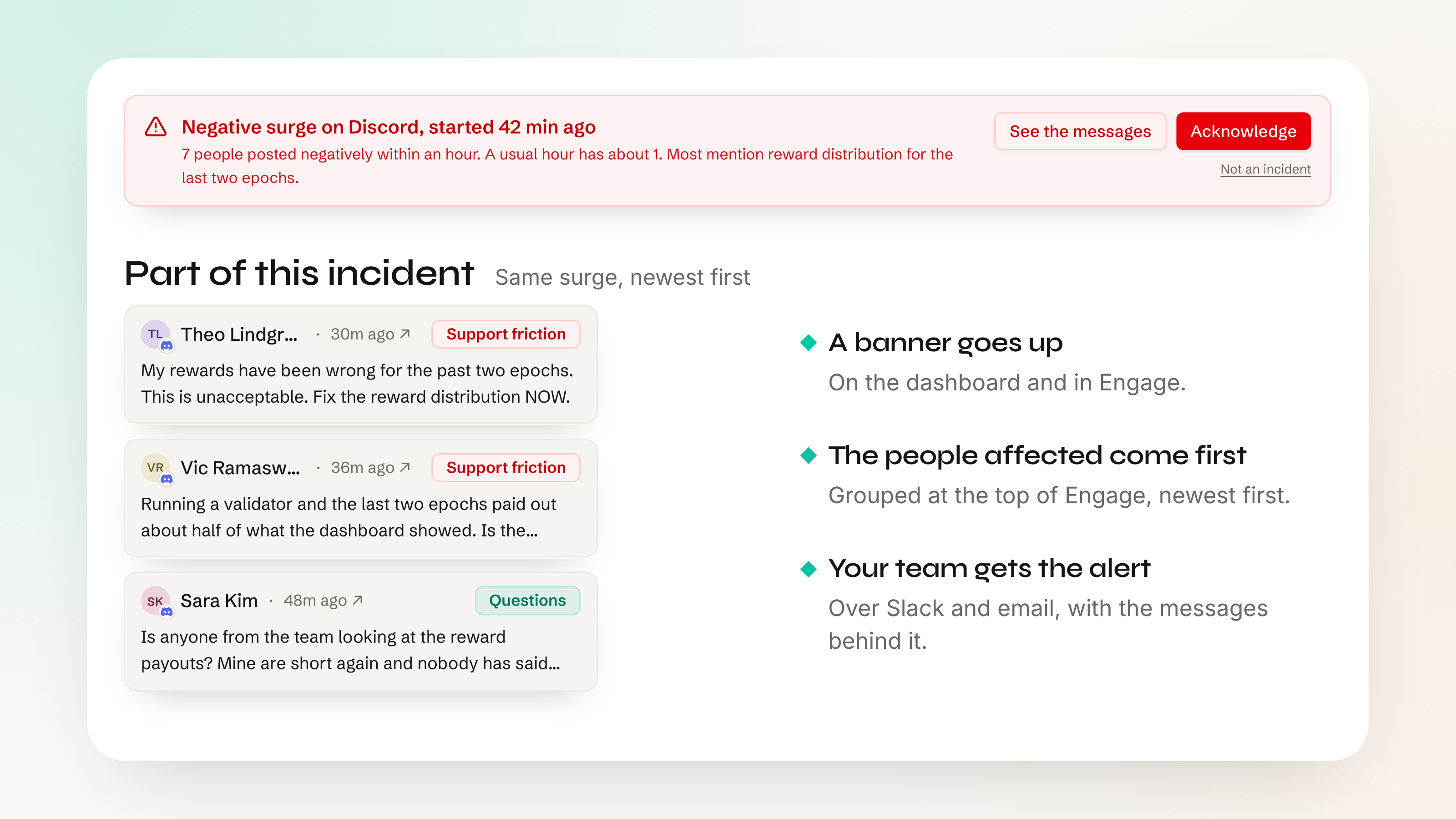
Incident alerts are on by default, on every platform Vibewatch reads, once it has a week of history to compare against.
The daily brief: the last 24 hours, where your team works
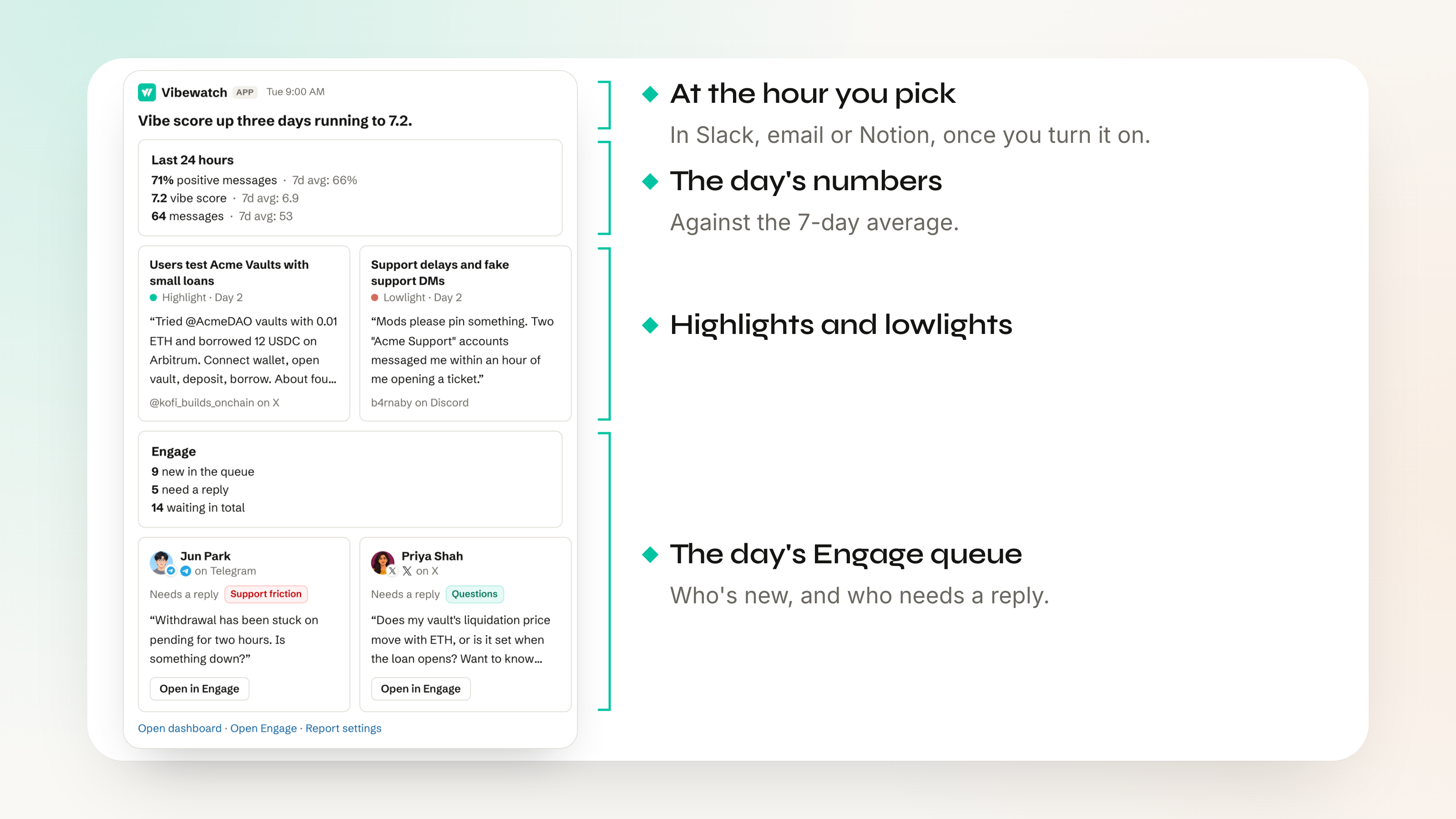
Your community's last 24 hours, in Slack, email or Notion at the hour you pick.
Turn on the daily brief and Vibewatch sends the day's numbers against the 7-day average, the highlights and lowlights, plus a look at the day's Engage queue. Delivery goes to Slack, email, Notion or a webhook.
Also new in Engage
- Engage shows the post a message replied to or quote tweeted, and also keeps it in mind when scoring replyability. A "Me too!" could be wildly different depending on what's being replied to.
- When one person posts the same message in multiple places, Engage groups them together. Reply to one, handle them all.
- On a phone, you can work through Engage and write replies, with the reply box pinned above the keyboard.
Available today
Engage and incident alerts are available to every Vibewatch team today, on every plan, starting with Lite at $19/mo. How often Engage checks for new messages depends on your plan, and pricing has the details.
Your first weekly report on Vibewatch is free. Get started.